wikiHow is a “wiki,” similar to Wikipedia, which means that many of our articles are co-written by multiple authors. To create this article, volunteer authors worked to edit and improve it over time.
This article has been viewed 18,863 times.
Learn more...
Facebook offers a security feature called "Login Approvals" that requires you to verify who you are before accessing your own account from an unknown browser. This is similar to 2-factor authentication, and specific to Facebook. The feature will send a notification, with a special code, to your cellphone when someone attempts to login to your Facebook profile. This feature will help you a lot if you want to add more security to your Facebook profile. Here’s how you can achieve this :
Steps
-
1Go to Facebook, and log in using your own login credentials.
-
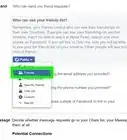
2In the upper right corner on the top bar, click on the security/privacy icon. Then, select "See More Settings" to go straight to your security/privacy settings page.Advertisement
-
3Choose "Security" from the upper right menu.
-
4Choose "Login Approvals" from the options. When you check the box, Facebook will prompt you with a note about how they deliver approval codes. Select continue.
-
5Read through the next prompt. Click "Continue" to move forward with the setup.
-
6Check for the text. Facebook will then send you a text to your listed phone number with the 6-digit code. Enter the code in the box and click “Continue”..
- Facebook offers a one-week period where you do not always need the code; choose whether or not you'd like to use their one-week opt-out by checking or unchecking the box.
-
7Use the verification code to log in with. Next time you (or anyone else) tries to log in to your Facebook account, they will be prompted to enter a special verification code. Once Facebook has verified that browser, it will not prompt you for a code again.