Text entry in the Pokémon games
In the Pokémon games, the player is often given the opportunity to enter text letter-by-letter.
Prior to the Nintendo Switch, all core series games are on Nintendo systems that do not provide a native text entry system, so each game has to implement its own text entry system.
In addition to standard text entry (letter-by-letter), there are some areas within the games that players can enter text in a much more structured manner, known as the easy chat system. This system is used to make messages that can more easily translate between languages as well as restricting the ability of players to include profanity or disclose personal information.
In the core series
In the core series games, the most common places that use standard text entry are entering the player's name, the rival's name, and Pokémon's nicknames. All three of these fields use the same text entry system.
Generation I
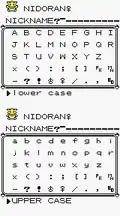 |
Note: Internally, no distinction is made between the hiragana へ he and the katakana ヘ he and their variants, or between the hiragana り ri and the katakana リ ri. |
|---|---|
| English, French, Italian, and Spanish* | |
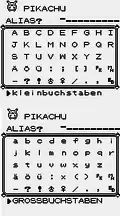 | |
| German | |
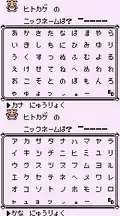 | |
| Japanese |
Generation II
Compared to Generation I, gender symbols were removed from the Western versions, while the space and semicolon were also removed from the German version. The kana を / ヲ wo, small vowel katakana, question mark, and exclamation mark were added to the Japanese version.
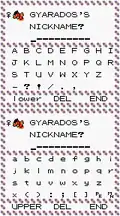 |
Note: Internally, no distinction is made between the hiragana へ he and the katakana ヘ he and their variants, or between the hiragana り ri and the katakana リ ri.
|
|---|---|
| English, French, Italian, and Spanish* | |
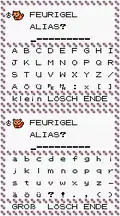 | |
| German | |
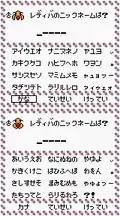 | |
| Japanese | |
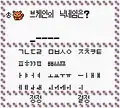 | |
| Korean |
Generation III
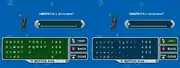
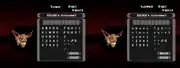
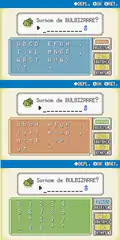
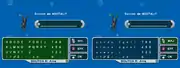
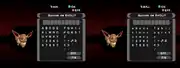
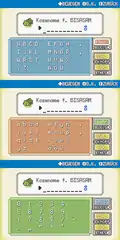
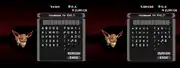
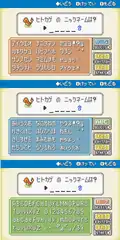
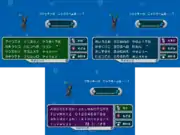
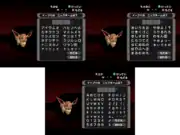
Compared to Generation II, the ability to type digits, gender symbols, and ellipsis were added to all versions. The ability to type the multiplication symbol, parentheses, colon, square brackets, and the Pokémon abbreviation were removed, while the ability to type single quotation marks was added to the Western versions. The semicolon was also removed from the English, French, Italian, and Spanish versions.
Double quotation marks were added to the English, Italian, and Spanish versions. Double guillemets were added to the French version. The space, the uppercase and lowercase letters ä, ö, and ü, and double quotation marks were added to the German version. Uppercase and lowercase Latin alphabet letters, small vowel hiragana, fullwidth period, interpunct, double and single quotation marks, and slash were added to the Japanese version.
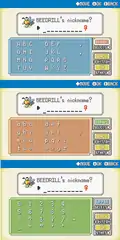 |
      |
|
|---|---|---|
| English, Italian, and Spanish* | ||
 |
  | |
| French | ||
 |
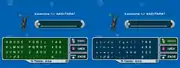  | |
| German | ||
 |
  | |
| Japanese | ||
Generation IV
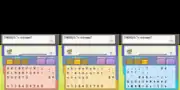
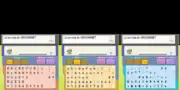
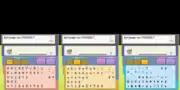
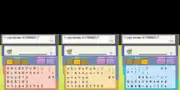
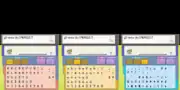
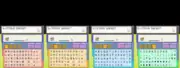
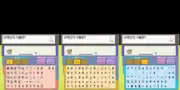
Compared to Generation III, the ability to type the colon, semicolon, parentheses, tilde/wave dash, at sign, percent sign, plus sign, equals sign, ten shapes, music note, cloud, umbrella, snowman, four faces, sleeping symbol, and two arrows were added to all versions. The multiplication sign, division sign, fullwidth comma, halfwidth period, comma, and hyphen-minus were added to the Japanese version, while the interpunct, number sign, and asterisk were added to Western and Korean versions.
Double quotation marks, the uppercase and lowercase letters à, ç, é, è, ù, and û, and the lowercase letters â, ê, ë, î, ï, and ô were added to the French version. The right double quotation mark (”) and ß were added to the German version. The letters à, é, è, ì, ò, and ù were added in uppercase and lowercase to the Italian versions. The inverted exclamation and question marks and the letters á, é, í, ñ, ó, ú, and ü were added in uppercase and lowercase to the Spanish versions.
Compared to Generation II, the ability to type uppercase and lowercase Latin alphabet letters, digits, exclamation mark, and question mark were added in the Korean versions.
 |
|
|---|---|
| English | |
 | |
| French | |
 | |
| German | |
 | |
| Italian | |
 | |
| Spanish | |
 | |
| Japanese | |
 | |
| Korean |
Generation V
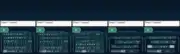
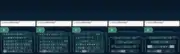
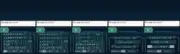
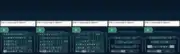
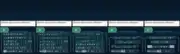
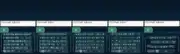
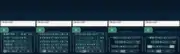
Compared to Generation IV, only the at sign has been removed from Western and Korean versions. The uppercase letters Â, Ê, Ë, Î, Ï, Ô, and Û were added to the French version, while the ability to enter the katakana ヴ vu was added to the Japanese version.
 |
|
|---|---|
| English | |
 | |
| French | |
 | |
| German | |
 | |
| Italian | |
 | |
| Spanish | |
 | |
| Japanese | |
 | |
| Korean |
Generation VI and VII
Compared to Generation V, only the at sign has been removed. The uppercase and lowercase é were added to the English and German versions, while the letters ç, ï, à, è, ì, ò, and ù were added in uppercase and lowercase to the Spanish version. No changes in character availability were made between Generation VI and VII.
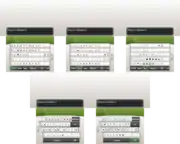
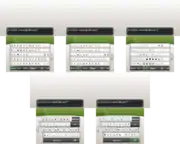
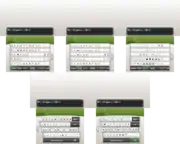
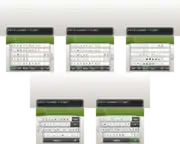
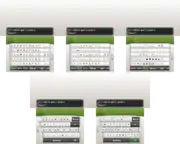
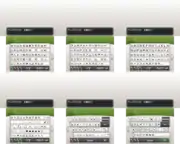
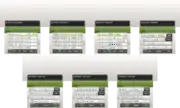
Pokémon: Let's Go, Pikachu! and Let's Go, Eevee! use the native Nintendo Switch text entry system. Games played in Western languages or Japanese can use characters from the English, French, German, Italian, Spanish, Dutch, Portuguese, Russian, and Symbol keyboards. Games played in Japanese can also use the Japanese keyboard. Games played in Korean or Chinese have access only to the keyboard of that language and the Symbol keyboard. The only character that cannot be entered from the keyboard is the at sign.
 |
|
|---|---|
| English | |
 | |
| French | |
 | |
| German | |
 | |
| Italian | |
 | |
| Spanish | |
 | |
| Japanese and Chinese* | |
 | |
| Korean |
Generation VIII
Pokémon Sword and Shield use the native Nintendo Switch text entry system. Games played in Western languages or Japanese can use characters from the English, French, German, Italian, Spanish, Dutch, Portuguese, Russian, and Symbol keyboards. Games played in Japanese can also use the Japanese keyboard. Games played in Korean or Chinese have access only to the keyboard of that language and the Symbol keyboard.
The special face characters are no longer supported in Generation VIII; any instances of these characters in the nickname or Original Trainer of a Pokémon transferred from an earlier generation are replaced by spaces. This makes it possible to have a Pokémon whose nickname or Original Trainer name consists entirely of spaces, which cannot normally be entered after Generation I.
In spin-off games
Rescue Team and Explorers
There were no changes between Rescue Team and Explorers except the positioning of the characters Š and Þ, and Ý and Ÿ which were swapped and þ which were positioned after ž in Rescue Team.
|
Gates to Infinity
In Gates to Infinity, space is blank instead of using a bottom square bracket, Ellipsis was moved to after the lowercase letters, and the Single low-9 quotation mark, Left single quotation mark, Double low-9 quotation mark, and the Left double quotaion mark were added.
|
Super Mystery Dungeon
The only change in Super Mystery Dungeon is that space went back to using a bottom square bracket instead of a blank.
|
Pokémon Ranger series
 |
This section is incomplete. Please feel free to edit this section to add missing information and complete it. Reason: needs other languages if different and what is on the third screen |
In the Pokémon Ranger series, the player can be named at the beginning of the game.
Pokémon Ranger
|
Shadows of Almia and Guardian Signs
|
Pokémon Trozei series
In Pokémon Trozei! the player is named at the beginning of the game and can change this name at any time from the main menu.
|
Pokémon Art Academy
In Pokémon Art Academy, the player selects a name for themselves at the beginning of the game. The player can change their name as well as the name of any card in their album at any time.
The game utilizes the Nintendo 3DS's keyboard and its limitations. Cards' names can be left blank.
Pokémon Duel
In Pokémon Duel, the player selects a name for themselves at the beginning of the game.
Names can be up to eight characters long.
All text entry uses the keyboard of the device the game is played on.
Pokémon GO
|
This section is incomplete. Please feel free to edit this section to add missing information and complete it. Reason: are there any characters that Pokémon GO does not support? |
In Pokémon GO, the player selects a name for themselves at the beginning of the game, and can only change it once by going to the settings and pressing Change Nickname.
Caught Pokémon can have a nickname assigned or changed on the Pokémon's summary screen by tapping its name. Nicknames can be up to twelve characters long. Nicknames are not visible to other players. Pokémon GO uses rich text entry, which allows bold tags (<b></b>) and italic tags (<i></i>) to be used; other tags supported by Unity's rich text system are too long to enclose any text.
All text entry uses the keyboard of the device the game is played on.
See also
- Character encoding (Generation I)
- Character encoding (Generation II)
- Character encoding (Generation III)
- Character encoding (TCG GB)
 |
This game-related article is part of Project Games, a Bulbapedia project that aims to write comprehensive articles on the Pokémon games. |